


Picture this: A sudden power flicker at the most inconvenient time. The lights in your house blink off, and your computer, filled with important work, shuts down without warning. For a moment, you panic. However, you then remember your Uninterruptible Power Supply (UPS) unit. It’s supposed to be your safety net, your hero in a crisis. But is it? As it turns out, a UPS unit is only as reliable as the battery inside it. In this guide, we’ll explain the crucial benefits of keeping your UPS battery in top shape and then walk you through a simple process to find the perfect replacement.
The Hidden Dangers of a Dying Battery
Your UPS unit isn’t just a surge protector; it’s a battery-powered safeguard. Over time, like any battery, a UPS battery will degrade and permanently lose its capacity and runtime. Consequently, this gradual decline can lead to three major risks:
- Protect Your Investment: First and foremost, a failing battery can’t provide the smooth, consistent power that gives you time to shut your device down safely. This, in turn, can lead to a sudden loss of power that could damage the delicate internal components in your computers, servers, and other valuable equipment. Ultimately, a new battery is a small investment that protects a much larger one.
- Prevent Data Loss: In addition, without a healthy battery, your system will instantly lose power, resulting in a hard crash. This, as you know, is the fastest way to corrupt files, lose unsaved work, and cause a major headache. Furthermore, a reliable battery gives you precious minutes of runtime, allowing you to save your data and perform a proper shutdown.
- Ensure Continuous Operations: Finally, if you’re working from home or you’re running a small business, a sudden power loss means lost productivity. A dependable UPS battery gives you time to weather a short outage or prepare for a longer one.
How to Find Your Correct Replacement Battery
Finding the right battery for your UPS can seem complicated, but it’s easier than you think. These tips will help you find the right battery every time.
Tip 1: Identify Your UPS Unit
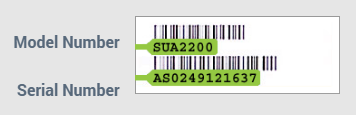
On your UPS, there should be a label, similar to the one shown here. This label will list the brand and, more importantly, the model number. It’ll be similar to “APC Back-UPS 650” or “CyberPower CP1500AVRLCD.”
Tip 2: Check Your Battery Chemistry
Once you have that information, you can check your battery chemistry. Most UPS backups are powered by Sealed Lead-Acid (SLA) batteries, while a few may have NiCd or Lithium Ion. While the original equipment manufacturer (OEM) batteries are a good option, non-OEM replacements are a cost-effective alternative that meet or exceed original specifications. These batteries, after all, are designed to provide the same reliable performance at a better value.
Tip 3: Use Our Search Tool at BatteryMart.com
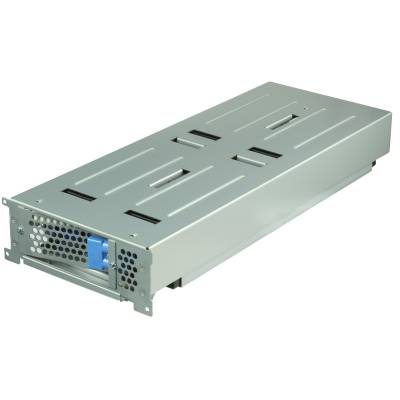
Next, now that you have your UPS model number, the fastest way to find a compatible battery is our store’s search tool. Simply type your model number into the search bar, and we’ll show you the exact replacement battery you need. In fact, we also provide lookups and cross-references for popular brands, such as APC replacement batteries, and even specific components, like replacement RBC cartridges.

Tip 4: Use our Dimensional Lookup (Length / Width / Height)
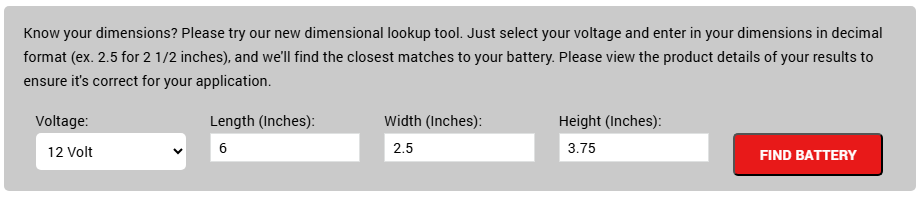
Alternatively, what if you don’t have the model number but you still have the old battery? It’s still easy! Measure your old battery and enter the dimensions into our lookup tool located on our Sealed Lead Acid Batteries page. You’ll get a selection of similar batteries, making it easy to find a battery with the same footprint.
Tip 5: Check Out Some of Our Most Popular SLA Batteries
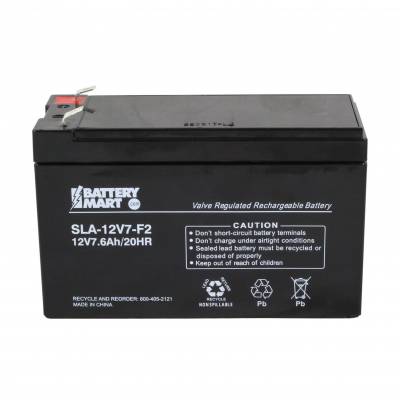
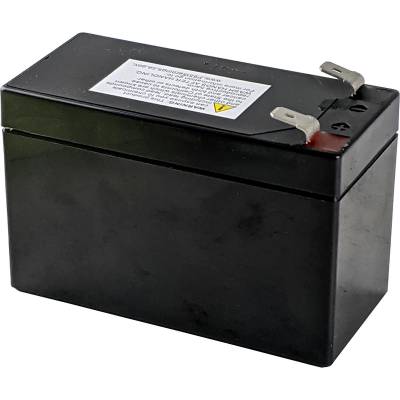
To get you started, here are a handful of our most popular replacement batteries for common UPS units:
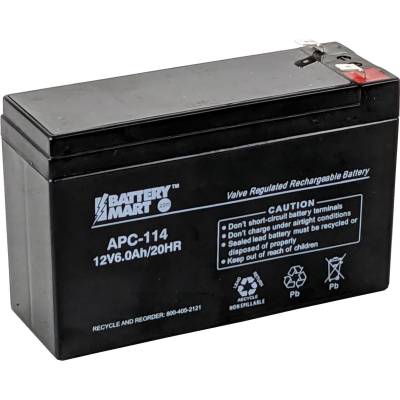
- 12V 7Ah SLA Battery with F2 Terminals (7.6Ah Capacity) (Item # SLA-12V7-F2)
- 12 Volt, 3.6 Ah Sealed Lead Acid Battery with F2 Terminals (Item #: SHR3.6-12)
- RBC114 / RBC154 UPS Replacement Battery – 12 Volt 6Ah (Item # APC-114)
- APC RBC43 UPS Battery Replacement (Item #: APCRBC43)
Recommended Tools for Replacement
Once you’ve found the right battery, having the proper tools on hand will make the replacement process much smoother and safer.
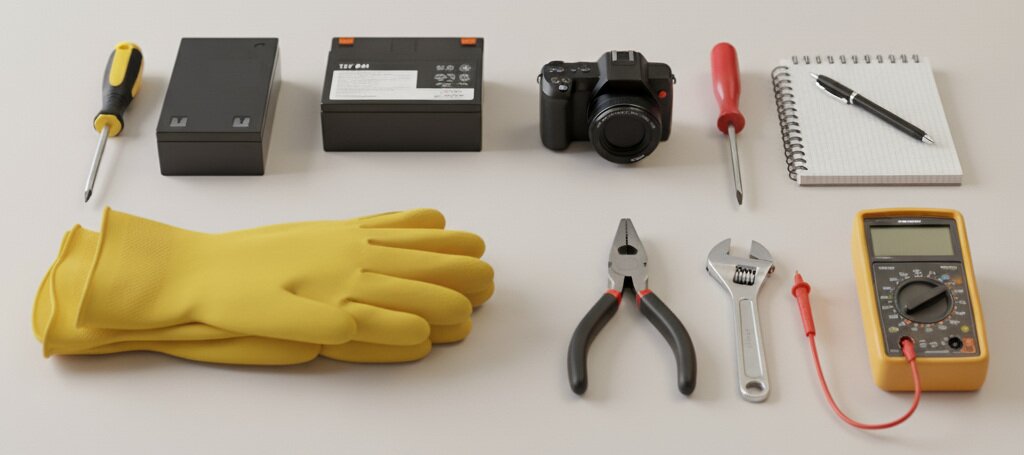
Essential Tools:
- Phillips head screwdriver: To open the UPS case and get to the battery.
- Replacement UPS Battery: Of course, it must be compatible with your UPS.
- Insulated Gloves: To protect yourself from electrical shock or potential acid leaks.
Optional Tools, but Helpful:
- Insulated screwdriver: Provides an extra layer of protection to prevent zaps.
- Camera or Notebook: To record the positive/negative wiring and prevent errors during reinstallation.
- Pliers or Wrench: Some UPS units may use different fasteners or require pliers for disconnecting cables if the wires are attached to the terminals tightly.
- Multimeter: This will test the voltage of your batteries and tells you if its fully charged and healthy.
Now You’re Ready to Go!
Installing a healthy UPS battery is a simple and inexpensive measure that can save you from lost data, damaged equipment, and unnecessary stress. Therefore, don’t wait for the next power flicker to remind you that your safety net needs a check-up.
Find your replacement battery today at Battery Mart! You can browse all the batteries you need in our UPS Battery Backup Replacement Category.
